
PicoPicoGames1.6 - App Store
You'll be able to see results in few seconds.
Publisher Description
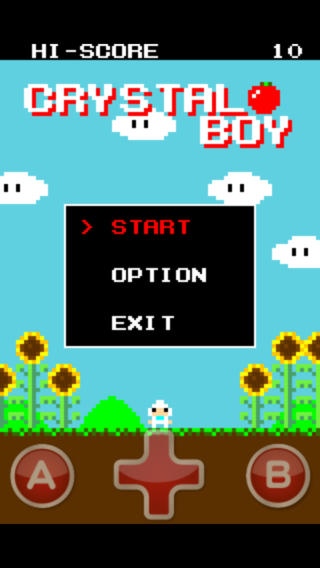
This is a PicoPicoGames !
a PicoPicoGames have some games that are so simple and small.
All games have a music option.
You can apply the music in your music library to bgm.
I wander that old game music is better for these games.
Now games list.
- GunDiver
- PicoPicoQuest
- The legend of PicoHERO3
PicoHERO3 has more monsters, more dungeons, more secrets. This is PicoHERO s last adventure!
- Crystal Boy
Crystal boy s mission is to get crystals. There are many traps in the sky. Be careful!
- MISSILE PANIC
Control the missile and attack the core of enemy s base!
This is action game. There are 32 stages.
- PICO PICO PUZZLE
Soldiers want to espace form monster's room !
You can move soldiers with flick too.
- PICO PICO RACE
You can t stop! This is dangerous car race! Can you survive?
- The legend of PicoHERO
This is a simple action adventure.
This is a tutorial game for The legend of PicoHERO2
Beat the satan's shadow !
- The tower of SHADOW
The satan's shadow appear again!
This game is a random dungeon RPG that is like a Rogue.
- The legend of PicoHERO2
The dragon abducted the princess!
Can you defeat the dragon and save the princess ?
Theare are more enemys and huger map than The legend of PicoHERO.
Requires iOS 5.0 or later. Compatible with iPhone, iPad, and iPod touch.
About PicoPicoGames
The company that develops PicoPicoGames is Hiromitsu Yamaguchi. The latest version released by its developer is 1.6.
To install PicoPicoGames on your iOS device, just click the green Continue To App button above to start the installation process. The app is listed on our website since 2009-09-20 and was downloaded 0 times. We have already checked if the download link is safe, however for your own protection we recommend that you scan the downloaded app with your antivirus. Your antivirus may detect the PicoPicoGames as malware if the download link is broken.
How to install PicoPicoGames on your iOS device:
- Click on the Continue To App button on our website. This will redirect you to the App Store.
- Once the PicoPicoGames is shown in the iTunes listing of your iOS device, you can start its download and installation. Tap on the GET button to the right of the app to start downloading it.
- If you are not logged-in the iOS appstore app, you'll be prompted for your your Apple ID and/or password.
- After PicoPicoGames is downloaded, you'll see an INSTALL button to the right. Tap on it to start the actual installation of the iOS app.
- Once installation is finished you can tap on the OPEN button to start it. Its icon will also be added to your device home screen.
Program Details
System requirements
Download information
Pricing
Version History
version 1.6
posted on 2009-09-20
Disclaimer
Official App Store Link
We do not host PicoPicoGames on our servers. We did not scan it for viruses, adware, spyware or other type of malware. This app is hosted by Apple and passed their terms and conditions to be listed there. We recommend caution when installing it.
The App Store link for PicoPicoGames is provided to you by apps112.com without any warranties, representations or guarantees of any kind, so access it at your own risk.
If you have questions regarding this particular app contact the publisher directly. For questions about the functionalities of apps112.com contact us.
